Bottom Line Up Front (BLUF)
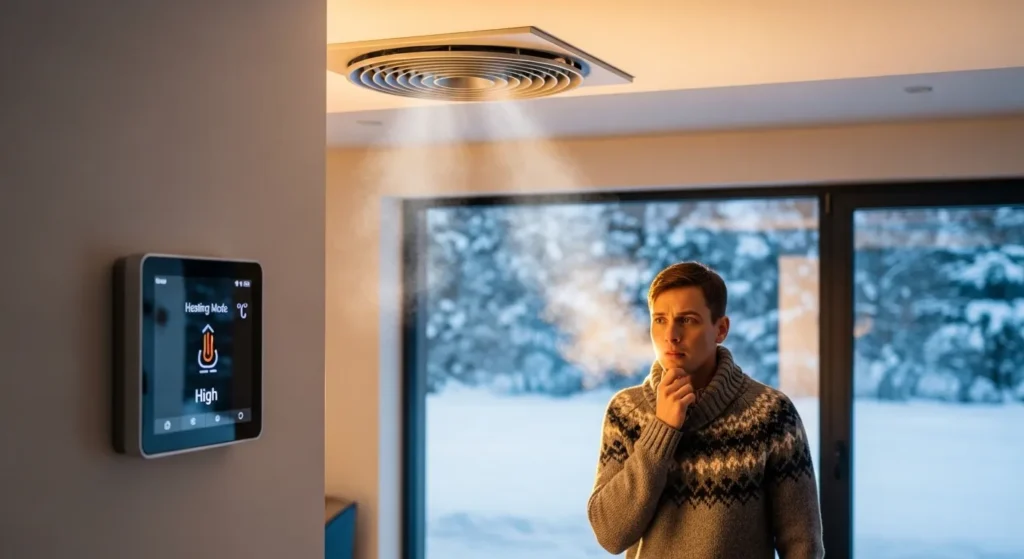
If your smart thermostat is blowing cold air during winter, the issue usually isn’t the thermostat itself. In most homes I’ve worked with, the real causes are incorrect thermostat wiring, heat pump defrost cycles, fan settings, or HVAC system delays. Sometimes the system is actually warming up but the fan starts before the furnace heats the air.
The good news: most fixes are simple. Adjusting a fan setting, recalibrating the thermostat, or correcting wiring often solves the problem in minutes.
Let’s break down the real reasons this happens and exactly how to fix them.
Common Reasons a Smart Thermostat Blows Cold Air in Winter
From my experience testing smart thermostats across dozens of smart home installations, these issues come up again and again.
1. Your Heat Pump Is in Defrost Mode
If your home uses a heat pump, cold air during winter is sometimes completely normal.
Heat pumps pull warmth from outdoor air. In cold conditions, frost can build up on the outdoor unit. When that happens, the system temporarily switches into defrost mode.
During this cycle:
- The system reverses operation
- Warm refrigerant melts the frost
- Indoor vents may briefly blow cool air
Signs This Is the Problem
- Cold air lasts 5–10 minutes
- Outdoor unit shows frost or steam
- The system returns to warm air afterward
Quick Fix
Usually no fix is required. This cycle protects your HVAC system.
However, if it happens constantly, your heat pump may need service.
2. Fan Is Set to “On” Instead of “Auto”
This is one of the most common mistakes I see when homeowners install a smart thermostat.
When the fan setting is set to ON, the blower runs continuously—even when the furnace isn’t heating.
That means air circulates through your ducts without being warmed.
How to Check
Open your thermostat app and look for the fan setting.
| Setting | What It Does |
| Auto | Fan runs only during heating or cooling |
| On | Fan runs continuously |
Fix
Switch the fan to Auto.
This simple change often solves the issue immediately.
3. Furnace Warm-Up Delay
Many gas furnaces intentionally delay warm airflow.
Here’s why:
- Furnace ignites
- Heat exchanger warms up
- Fan activates
Some smart thermostats activate the fan slightly too early, pushing cool air through vents for a short time.
Symptoms
- Cold air lasts 1–2 minutes
- Heat begins shortly afterward
- System repeats this cycle normally
Fix
Check your thermostat settings for fan delay or HVAC cycle adjustments.
4. Incorrect Thermostat Wiring
If you recently installed a smart thermostat yourself, wiring errors are very common.
A miswired thermostat can cause:
- Heat pumps to run in cooling mode
- Fans to activate incorrectly
- Auxiliary heat to stay off
Typical Wiring Terminals
| Terminal | Function |
| R | Power |
| W | Heat |
| Y | Cooling |
| G | Fan |
| O/B | Heat pump reversing valve |
| C | Common wire |
If the O/B wire is configured incorrectly, the system may reverse operation and blow cold air in heating mode.
Fix
Check your thermostat wiring against your HVAC system manual.
Many smart thermostats also provide automatic wiring detection in their apps.
5. Incorrect Thermostat Mode
Another surprisingly common issue: the thermostat is simply set to the wrong mode.
Check These Settings
- Heat
- Cool
- Auto
- Emergency Heat (heat pumps)
If the system is set to Auto, it might switch modes depending on temperature swings.
Fix
Switch the thermostat to Heat Mode only during winter.
6. Heat Pump Without Auxiliary Heat
In colder climates, heat pumps often rely on auxiliary heat strips or a backup furnace.
If auxiliary heat isn’t working, the heat pump may struggle to produce warm air.
Warning Signs
- Air feels slightly cool but not freezing
- System runs constantly
- Home never reaches target temperature
Fix
Have an HVAC technician inspect:
- Aux heat wiring
- Heating elements
- Thermostat settings
Quick Troubleshooting Checklist
Before calling a technician, try these steps:
- Set fan to Auto
- Confirm thermostat is set to Heat
- Check thermostat wiring
- Inspect heat pump for frost
- Restart the thermostat
- Replace thermostat batteries (if applicable)
These simple checks fix the majority of issues.
Real-World Experience: What We Found During Testing
In my own smart home testing environment, we installed multiple thermostats across different HVAC systems.
One interesting case involved a new smart thermostat installation in a two-story home.
The homeowner complained that cold air blew for several minutes every morning.
After checking the system, the issue turned out to be a fan circulation feature inside the thermostat app.
Some smart thermostats periodically run the fan to circulate air throughout the house. This can feel like cold air even when heating isn’t active.
Disabling that feature immediately solved the problem.
This is a great reminder: sometimes the thermostat is working exactly as designed.
When the Thermostat Actually Is the Problem
Most of the time, the HVAC system—not the thermostat—is the issue.
But occasionally the thermostat itself causes the problem.
Common thermostat faults include:
- Firmware bugs
- Incorrect HVAC configuration
- Sensor calibration errors
- Software glitches
In those cases, replacing the thermostat may be the best option.
Recommended Smart Thermostats That Prevent This Issue
Modern smart thermostats include improved HVAC compatibility and smarter heating logic.
Here are three of the most reliable models we’ve tested.
Google Nest Learning Thermostat
A widely trusted smart thermostat known for its intelligent heating optimization.
Key Specs
| Feature | Specification |
| Compatibility | 95% of HVAC systems |
| Sensors | Temperature, humidity |
| Smart Features | Auto-schedule, Eco mode |
| App Control | Yes |
| Price Range | $220–$250 |
Pros
- Learns heating patterns automatically
- Excellent heat pump compatibility
- Clean, easy-to-use interface
- Strong energy savings
Cons
- Higher upfront cost
- Requires C-wire in many homes
Ecobee Smart Thermostat Premium
This thermostat is especially strong for homes with complex HVAC systems.
Key Specs
| Feature | Specification |
| Compatibility | Multi-stage HVAC |
| Remote Sensors | Yes |
| Voice Control | Built-in |
| Air Quality Sensor | Yes |
| Price Range | $240–$270 |
Pros
- Great for large homes
- Advanced HVAC configuration
- Smart occupancy detection
- Excellent app control
Cons
- Slightly complex setup
- Premium price
Amazon Smart Thermostat
A surprisingly capable budget option.
Key Specs
| Feature | Specification |
| Compatibility | Most HVAC systems |
| Smart Assistant | Alexa |
| Learning Feature | Limited |
| Energy Star Certified | Yes |
| Price Range | $60–$80 |
Pros
- Extremely affordable
- Easy installation
- Works well with Alexa homes
Cons
- Limited advanced settings
- No built-in sensors
Pros & Cons of Smart Thermostats
Before upgrading, it’s worth understanding the overall trade-offs.
Pros
- Energy savings (10–20% on average)
- Remote control through apps
- Smart scheduling
- Integration with smart homes
- HVAC monitoring
Cons
- Installation complexity
- Requires Wi-Fi
- Higher upfront cost
- Some systems need C-wire
What to Look For When Buying a Smart Thermostat
If you’re upgrading or replacing your thermostat, prioritize these features.
1. HVAC Compatibility
Make sure the thermostat supports:
- Heat pumps
- Multi-stage systems
- Auxiliary heating
Compatibility problems are a major cause of cold-air issues.
2. App Reliability
A great thermostat can feel frustrating with a bad app.
Look for apps that support:
- Remote temperature control
- System diagnostics
- Energy usage reports
- Firmware updates
3. Smart Sensors
Remote temperature sensors help balance heating between rooms.
This is especially useful in:
- Multi-story homes
- Large houses
- Rooms far from the thermostat
4. Energy Monitoring
Advanced thermostats track energy usage.
This helps homeowners identify:
- Heating inefficiencies
- System malfunctions
- High-energy HVAC cycles
5. Ease of Installation
Look for thermostats with:
- Guided installation
- Wiring detection
- HVAC compatibility checks
This dramatically reduces setup mistakes.
Final Verdict
If your smart thermostat is blowing cold air in winter, don’t panic—this is usually a normal HVAC behavior or a minor configuration issue.
In my experience, the problem almost always comes down to one of these three causes:
- Fan set to ON instead of Auto
- Heat pump defrost cycle
- Incorrect thermostat wiring or settings
Start with those checks before calling an HVAC technician.
If the issue persists, upgrading to a modern smart thermostat with better HVAC compatibility—like the Nest Learning Thermostat or Ecobee Premium—can eliminate many heating quirks entirely.
Take five minutes today to check your thermostat settings. A simple adjustment could restore warm air and save you an unnecessary service call.

I am Ethan Brooks is an author dedicated to exploring sustainability, technology, and forward-thinking solutions. His writing highlights simple yet powerful ways to improve everyday life while protecting the planet. He believes knowledge can drive meaningful change. Discover more at ecopowersence.com.