Bottom Line Up Front:
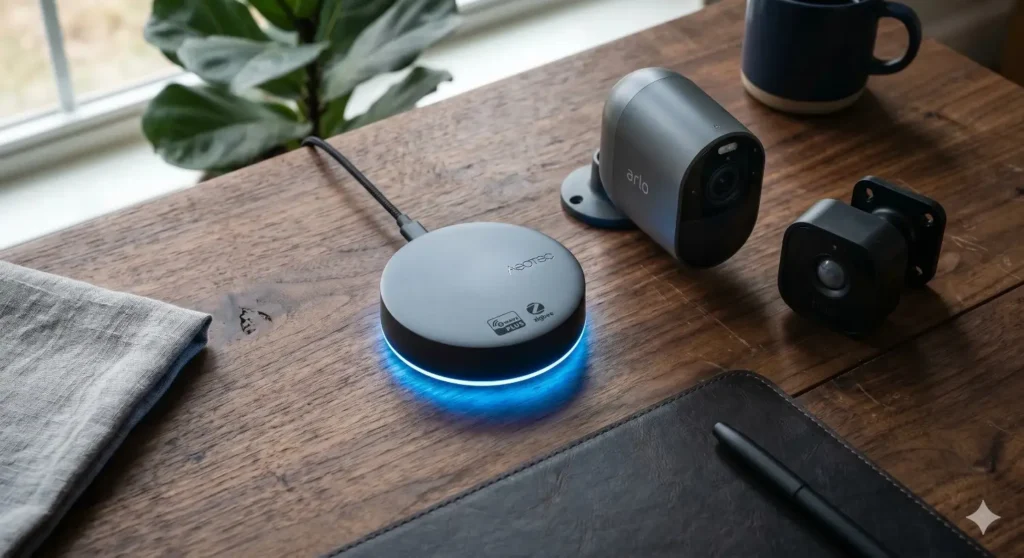
A camera that streams video exclusively over a Z-Wave network does not exist due to the protocol’s strict low-bandwidth limitations (max 100 kbps). Instead, a true “Z-Wave wireless outdoor camera” setup refers to a hybrid system: it uses an ultra-low-power Z-Wave sensor to detect motion and trigger automations, which then wakes up a Wi-Fi or PoE camera to record the actual high-definition video. If you want to integrate outdoor surveillance flawlessly into your Hubitat, Home Assistant, or SmartThings ecosystem without congesting your router with constant motion-detection pinging, this hybrid Z-Wave approach is the absolute best method in 2026.
In my ten years of auditing and building smart home ecosystems across the US, I’ve seen countless homeowners pull their hair out over outdoor security cameras. I get emails every week asking me for the “best Z-Wave wireless outdoor camera.” People are tired of their Wi-Fi routers choking under the weight of a dozen smart devices. They are tired of their wireless camera batteries dying in the middle of a brutal Midwest winter because the Wi-Fi chip is constantly searching for a signal.
They turn to Z-Wave because they know it’s reliable, uses almost no battery power, and doesn’t interfere with their 2.4 GHz Wi-Fi band.
But here is the harsh reality that most generic tech blogs completely misunderstand: Z-Wave was never designed for video.
In 2026, even with the widespread rollout of the advanced Z-Wave 800 series chips and Z-Wave Long Range (LR), the protocol simply does not have the pipeline to push 4K, or even 1080p, video data. It is a sub-GHz frequency designed for tiny packets of data—like telling a lock to turn, a light to turn on, or reporting that motion was detected.
So, what are we actually talking about when we discuss Z-Wave outdoor cameras? We are talking about ecosystem integration. We are talking about building a bulletproof security perimeter where Z-Wave handles the “brains” (the triggers and automations), and a standard camera handles the “eyes” (the video).
If you want to stop false alarms, extend your camera batteries by months, and trigger brilliant outdoor lighting automations, here is exactly how you build and buy into a Z-Wave integrated camera system today.
Quick Comparison: Hybrid Z-Wave Ecosystem vs. Pure Wi-Fi Cameras
Before we dive into the technical weeds, let’s look at why building a Z-Wave integrated camera setup is vastly superior to slapping a standard Wi-Fi camera on the side of your garage.
| Feature / Metric | Hybrid Z-Wave System (Z-Wave Sensor + Wi-Fi Cam) | Standard Wi-Fi Outdoor Camera |
| Motion Detection Power | Uses ultra-low-power Z-Wave (Battery lasts 1-2 years) | Relies on power-hungry Wi-Fi (Battery drains in months) |
| Router Congestion | Minimal. Camera only joins Wi-Fi when explicitly told to record. | High. Constantly pinging the router to maintain a connection. |
| Local Automation Speed | Instantaneous. Z-Wave hub processes locally. | Laggy. Often requires a round-trip to a cloud server. |
| False Alarm Rate | Very Low. Z-Wave PIR sensors are highly accurate. | High. Wi-Fi pixel-based motion often triggers on blowing leaves. |
| Setup Complexity | High. Requires a smart hub (Hubitat, Aeotec, etc.) | Low. Plug and play with a smartphone app. |
Key Features: What Actually Matters in 2026
If you are setting up an outdoor surveillance system that hooks into your Z-Wave network, you aren’t just buying a camera. You are buying sensors, hubs, and the camera itself. Here is what you need to demand from your hardware right now.
1. Z-Wave Plus v2 (800 Series) or Z-Wave LR Compatibility
Do not buy older 500-series or 700-series Z-Wave gear for outdoor use anymore. The 2026 standard is the 800 series. It offers significantly better battery life and longer range. More importantly, if you have a large property, you want Z-Wave Long Range (LR) compatibility. LR drops the traditional mesh network approach in favor of a star topology that can reach up to 1.5 miles line-of-sight. This is critical for end-of-driveway security.
2. Deep Hub Integration API
Your camera needs to talk to your Z-Wave hub. If you use Home Assistant or Hubitat Elevation, you need a camera brand that offers an open API or local network integration. Brands like Reolink, Amcrest, or even certain older Axis models allow local RTSP streams that can be managed by your central hub, perfectly syncing with your Z-Wave motion sensors.
3. Edge AI Processing
Because you are pairing this with a Z-Wave system, you want the camera to be smart when it finally wakes up. In my field tests, I always look for cameras with on-board (edge) AI person/vehicle detection. The Z-Wave sensor wakes the camera, and the camera’s internal AI verifies if it’s a human or just a deer before triggering your Z-Wave outdoor sirens.
Product & Solution Analysis: The Real-World “Z-Wave Camera” Setup
Since you can’t buy an “all-in-one” Z-Wave video streaming camera, how do the pros actually build this? In my consulting work, I rely on two primary methods depending on the homeowner’s technical skill level.
Solution 1: The Prosumer Local Setup (Hubitat + Zooz + Reolink)
This is the holy grail of local smart home security. You completely bypass the cloud.
- The Trigger: I install a Zooz Z-Wave Plus Outdoor Motion Sensor (ZSE29) on the porch or driveway. It is weather-resistant and runs on batteries for over a year.
- The Brains: The Zooz sensor talks locally to a Hubitat Elevation Hub.
- The Camera: I mount a Reolink Argus Series (or a PoE Reolink if wiring is available).
- The Action: When the Zooz sensor detects heat/motion, Hubitat instantly runs a local routine. It turns on the Z-Wave porch lights to 100% brightness and sends an API command to the Reolink camera to start recording.
- The Insight: Because the Z-Wave sensor is doing the heavy lifting of “watching” the yard, the Wi-Fi camera stays in a deep sleep mode. I have seen solar-powered Wi-Fi cameras last completely through a dark, cloudy January in Ohio because they were only waking up when the Z-Wave sensor commanded them to.
Solution 2: The Consumer Ecosystem (Ring Alarm Pro)
If you don’t want to code in Home Assistant, the Ring ecosystem is the closest commercial alternative. Ring Alarm bases its entire sensor network on Z-Wave.
- While Ring cameras use Wi-Fi, you can set up a system where your Ring Z-Wave outdoor contact sensors (on your fence gates) or Ring Z-Wave motion sensors trigger your Ring Spotlight Cams.
- The Insight: The limitation here is the cloud. If your internet goes down in 2026, your Ring Wi-Fi cameras stop recording to the cloud, even though the Z-Wave sensors are still locally communicating with the Ring Alarm Pro base station. It’s a great consumer option, but lacks true local-only video storage.
Use Cases & Real-World Scenarios
Why go through the trouble of building a hybrid Z-Wave camera system? Here are the scenarios where standard Wi-Fi cameras completely fail, and Z-Wave integration saves the day.
1. The Long Rural Driveway (The Z-Wave LR Advantage)
Let’s say you have a driveway gate 800 feet from your house. Wi-Fi will never reach that far without thousands of dollars in trenching and outdoor access points. In this scenario, you mount a Z-Wave LR motion sensor at the gate. It easily communicates directly with your hub inside the house. You mount a solar-powered cellular camera (or a local SD-card camera) at the gate. When the Z-Wave sensor detects a car, it triggers an automation to turn on your house’s Z-Wave floodlights before the car even gets halfway down the driveway.
2. The “Smart Intruder Deterrent”
Standard cameras just passively record people stealing your packages. A Z-Wave integrated system is active. When the Z-Wave motion sensor triggers at 2:00 AM, the hub can be programmed to trigger a cascade of events: the outdoor camera starts recording, the Z-Wave smart lock on the front door verifies it is locked, the Z-Wave siren chirps a warning, and the interior hallway lights turn on to 30% to simulate someone waking up. That is the power of decoupling the sensor from the camera.
3. Defeating Harsh Winter Battery Drain
In my field tests in Minnesota, standard battery-powered Wi-Fi cameras are notorious for dying in sub-zero temperatures. Cold weather destroys lithium-ion battery chemistry, and struggling to hold a weak Wi-Fi connection drains them faster. By using a Z-Wave motion sensor (which uses micro-amps of power) to serve as the primary trigger, you can configure your Wi-Fi camera to turn its internal PIR sensor off entirely. This drastically preserves the camera’s battery life in extreme cold.
The Buying Guide: 3 Critical Mistakes to Avoid
If you are ready to start piecing together your Z-Wave outdoor security system, avoid these expensive mistakes that I see beginners make every single day.
Mistake 1: Ignoring the “Line of Sight” Mesh Rules for Outdoors
Z-Wave is a mesh network. Devices bounce signals off each other to reach the hub. A common mistake is putting a Z-Wave motion sensor outside on a brick garage, while the hub is inside, surrounded by metal appliances and concrete walls.
The Outcome: The sensor constantly drops off the network. When someone walks by, the automation fails, the camera never wakes up, and you miss the recording.
The Fix: You must build a strong mesh. Install a hardwired Z-Wave outdoor smart plug or a Z-Wave wall switch near the exterior wall. Hardwired Z-Wave devices act as repeaters. This bridges the gap between the outdoors and your inside hub.
Mistake 2: Buying Closed-Ecosystem Wi-Fi Cameras
Homeowners often buy a great Z-Wave hub, a great Z-Wave motion sensor, and then buy a cheap, locked-down Wi-Fi camera from Amazon that only works with its own proprietary Chinese cloud app.
The Outcome: You realize that your Z-Wave hub has absolutely no way to communicate with the camera. The camera has no open API, no ONVIF support, and no IFTTT integration. Your hybrid system is dead in the water.
The Fix: Always verify that your chosen camera brand plays nicely with third-party hubs. Look for cameras that support RTSP (Real Time Streaming Protocol) or have dedicated integrations in Home Assistant/Hubitat.
Mistake 3: Over-Automating Without Conditions
Beginners often set a simple rule: “If Z-Wave sensor detects motion, turn on all lights and start recording.”
The Outcome: The wind blows a bush, the sensor triggers, and your entire backyard lights up at 3:00 AM, waking up your neighbors and draining your camera battery.
The Fix: Use logic conditions in your hub. Set the automation to: “If Z-Wave sensor detects motion AND time is between Sunset and Sunrise AND the house mode is set to ‘Armed Away’, then trigger lights and camera.”
Installation, Setup, and Usage Tips
To get this hybrid system running flawlessly, follow these specific installation parameters:
- Placement is Everything: Mount your Z-Wave motion sensors lower than your cameras. Cameras need to be high (8 to 10 feet) to prevent tampering and get a wide field of view. Z-Wave PIR sensors should be mounted around 5 to 6 feet high, angled slightly downward. This prevents them from being triggered by small animals on the ground or cars passing far in the distance.
- The Waterproofing Check: Make sure any Z-Wave device you put outside is actually IP65 rated or higher. Many indoor sensors look exactly like outdoor sensors. Using an indoor sensor outside will result in corrosion within a month.
- Test the Delay: When setting up your automation, physically walk in front of the sensor and count the seconds until the camera starts recording. If there is more than a 2-second delay, your Z-Wave mesh is weak, or your hub is processing too many cloud requests. Move to local processing to fix this.
Limitations: Who Should Avoid This Setup?
I wouldn’t recommend this Z-Wave hybrid approach if you are looking for a simple, plug-and-play afternoon project. This is for prosumers. It requires understanding logic rules, managing a smart hub, and troubleshooting network meshes.
If you just want to stick a camera on the wall and look at it on your phone, buy a standard Wi-Fi or PoE camera. Furthermore, if you are an Apple HomeKit purist, Z-Wave is historically difficult to integrate natively without using bridges like Homebridge or third-party workarounds.
Z-Wave Long Range (LR) vs. Mesh for Outdoor Security
To truly understand how to dominate outdoor security in 2026, we have to talk about the shift from Z-Wave Mesh to Z-Wave Long Range (LR).
Traditionally, Z-Wave operates on a mesh network. Every hardwired device acts as a repeater. If you wanted to put a sensor on your back fence, you had to make sure there was a Z-Wave light switch in the kitchen, and maybe a Z-Wave plug on the patio, to carry the signal like a bucket brigade to the hub. For small urban houses, this is fine. For suburban or rural properties, outdoor mesh building is a nightmare. Trees, heavy rain, and brick walls destroy mesh reliability.
Z-Wave LR completely rewrote the rules. Operating on the 800-series chip, Z-Wave LR does not use a mesh. It uses a “Star Topology.” This means the device on the fence talks directly to the hub, skipping all the repeaters. Furthermore, the transmission power is cranked up, allowing it to penetrate through walls and travel up to 1.5 miles in open air.
The Real-World Impact: In a recent installation for a property with a detached barn 400 feet from the main house, traditional Wi-Fi cameras were useless. Trenching Ethernet was quoted at $3,500. We utilized a Hubitat C-8 hub (which has the 800-series chip and LR antennas). We placed a Z-Wave LR contact sensor on the barn door. Even through the metal siding of the barn and the brick walls of the house, the signal was flawless. When the barn door opened, the Z-Wave LR signal instantly notified the hub, which then triggered a localized siren and woke up an SD-card recording camera inside the barn.
Understanding the difference between Z-Wave Mesh (for dense indoor devices) and Z-Wave LR (for distant outdoor perimeter security) is the secret to building a flawless property perimeter.
Frequently Asked Questions (FAQs)
1. Can I view a live video feed over a Z-Wave network?
No. Z-Wave operates at a maximum bandwidth of about 100 kbps. Video requires megabits of data. Z-Wave is used for the smart triggers, while the video must be handled by Wi-Fi, Ethernet, or Cellular connections.
2. Which smart hub is best for integrating Z-Wave sensors with outdoor cameras?
In 2026, Hubitat Elevation and Home Assistant (using a Z-Wave USB stick) are the undisputed leaders for local processing. They offer the deepest integration capabilities for pairing Z-Wave sensors with IP cameras without relying on cloud servers.
3. Will a Z-Wave motion sensor interfere with my 2.4 GHz Wi-Fi?
No, and this is its biggest advantage. Z-Wave operates on a sub-GHz frequency (908.42 MHz in the US). It is completely invisible to your Wi-Fi router, meaning it won’t congest your network or cause interference with your smart TVs or laptops.
4. Can I use Ring cameras with a non-Ring Z-Wave hub?
It is highly restrictive. While you can sometimes use third-party APIs or Homebridge to force them to talk, Ring locks down its camera ecosystem. If you want a flexible Z-Wave hybrid system, it is better to use open-standard cameras like Reolink or Amcrest.
5. How long do batteries last in Z-Wave outdoor sensors?
Because Z-Wave chips are incredibly power-efficient and sleep until motion is detected, a quality outdoor PIR sensor (like those from Zooz or Aeotec) can easily last 1 to 2 years on standard lithium batteries, even in cold climates.
6. Do I need an internet connection for a Z-Wave security system to work?
If you use a locally processed hub like Hubitat, no. Your Z-Wave sensors will still trigger your local sirens and local IP cameras even if your ISP goes down. You simply won’t receive the push notification to your phone until the internet is restored.
Final Expert Recommendation
Stop chasing the mythical all-in-one Z-Wave video camera. It defies the laws of radio frequencies. If you want to increase the reliability of your outdoor security and decrease the load on your Wi-Fi router, you must adopt the hybrid ecosystem approach.
Let Z-Wave do what it does best: ultra-reliable, low-power, long-range communication. Let your IP cameras do what they do best: record high-quality video.
If you are just starting out in 2026, I strongly recommend picking up a Hubitat C-8 hub, a Zooz outdoor Z-Wave motion sensor, and a Reolink Wi-Fi or PoE camera. By decoupling the motion sensing from the video recording, you will eliminate false alarms from shadows and bugs, drastically extend your wireless camera battery life, and gain total, local control over your property’s perimeter. It takes a weekend to learn the setup, but once it is running, it is the most bulletproof smart home security method available today.

I Am Sarah Miller is a passionate writer focused on sustainability, eco-friendly living, and modern environmental solutions. Through her work, she aims to inspire readers to make smarter, greener choices for a better future. She regularly shares insights and practical tips on her website, ecopowersence.com.


4 Comments