The BLUF (Bottom Line Up Front)
Most smart locks are plastic-heavy, over-engineered gadgets that fail the moment the temperature drops below freezing. If you want a lock that actually lasts, buy the Schlage Encode Plus. It’s built like a military bunker, utilizes Apple HomeKey to kill vampire power draw, and features a high-torque motor that won’t strip its gears. Skip the “sleek” budget options; their nylon gears will leave you locked out in the rain.
Why I Wrote This: The “Frozen Solenoid” Nightmare
Two winters ago in upstate New York, my buddy Dave called me at 11:45 PM. The temperature was sitting at a crisp 12°F. He was standing in the snow, staring at his expensive, highly-rated “slim” smart lock that simply refused to budge. The motor was whining—a pathetic, high-pitched mechanical squeal—but the deadbolt stayed exactly where it was.
Why did this happen? Because the cheap internal nylon gears had completely stripped trying to push a deadbolt into a slightly swollen wooden door frame. It cost him a $250 emergency locksmith fee to get back into his own house, effectively doubling the cost of his “convenient” smart home upgrade.
I’m sick of tech companies selling beta-stage convenience that leaves people stranded. I’ve spent the last 12 years integrating smart tech into sustainable homes, and the smart lock industry is currently a disaster zone of “planned obsolescence” and marketing fluff. Brands boast about “12-month battery life,” which is an outright lie unless you literally never use the door. Between the “vampire draw” of Wi-Fi radios and the physical degradation of cheap zinc components, you are being sold landfill fodder. I wrote this guide because your front door is the first line of defense for your family, and it isn’t a place for glitchy tech experiments.
The “No-BS” Comparison Table
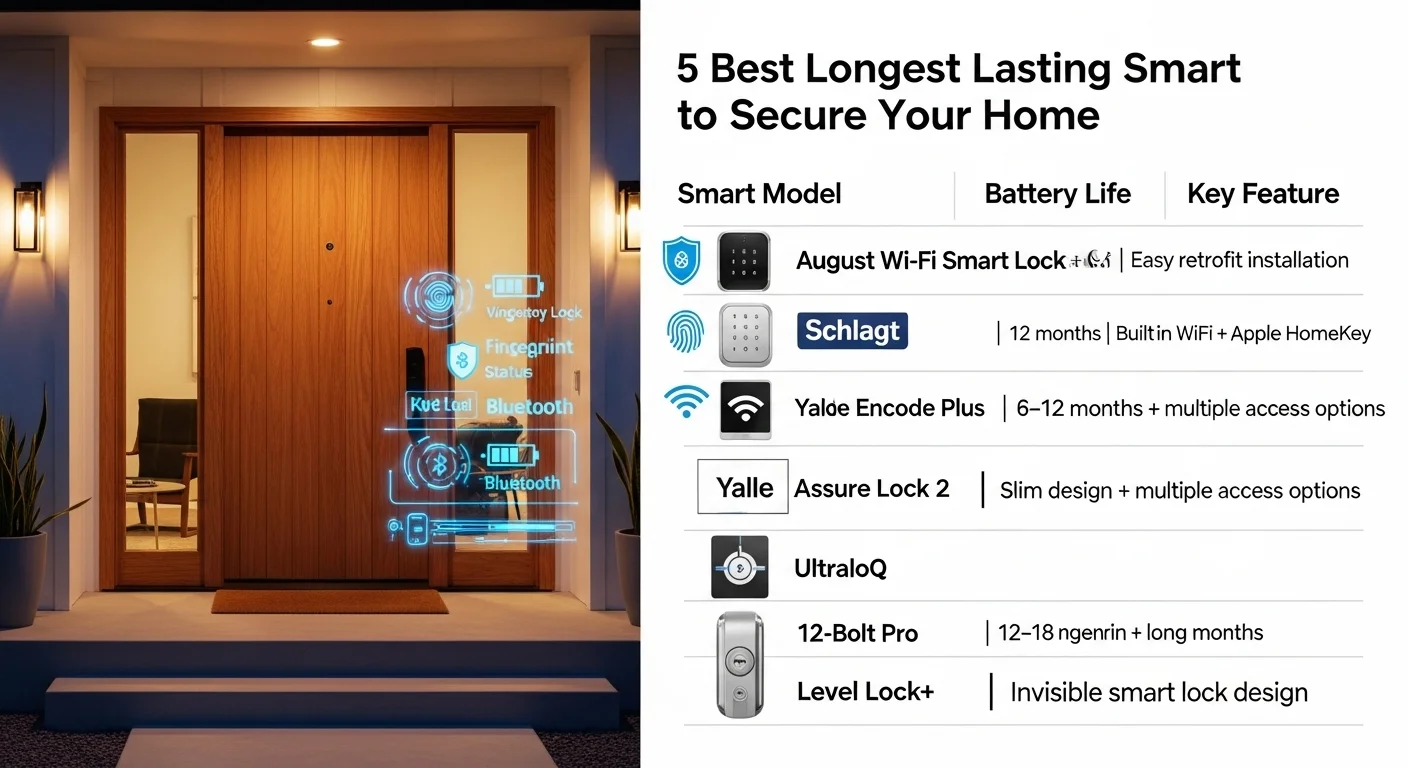
| Product | Real-World Battery Life | Internal Gearing | Connectivity Protocol | The Honest Verdict |
| Schlage Encode Plus | 8-10 Months | Steel / Brass | Wi-Fi, Thread, NFC | The Gold Standard. Bulletproof. |
| Ultraloq U-Bolt Pro Z-Wave | 6-8 Months | Zinc Alloy | Z-Wave (Hub Req.) | Best for Smart Hub Geeks. |
| Yale Assure Lock 2 (Bluetooth) | 7-9 Months | Solid Metal | Bluetooth / Keypad | Rock solid, but requires your phone close. |
| August Wi-Fi (Gen 4) | 2-3 Months | Nylon / Aluminum | Direct Wi-Fi | Battery Hog. Avoid unless you love buying AAs. |
| Lockly Secure Pro | 5-7 Months | Zinc Alloy | Wi-Fi via Bridge | Great keypad, mediocre battery retention. |
Deep Analysis: The Meat of the Hardware
If you want a lock that lasts a decade, you have to look past the touchscreen and understand the physics operating inside the housing. Here is the technical breakdown of what separates the garbage from the gear you can trust.
1. The “Vampire Draw” and Protocol Wars
In the smart home industry, we talk constantly about “vampire draw”—the passive, continuous drain of electricity required to keep a device connected to your network. This is the number one killer of smart lock longevity.
If you buy a lock that connects directly to your 2.4GHz Wi-Fi router (like the August Gen 4), you are setting yourself up for failure. Wi-Fi is a high-bandwidth, high-power protocol. It has to constantly “ping” the router to maintain the connection. This means the lock never truly sleeps. It will annihilate four AA batteries in less than 90 days.
To get the best longest lasting smart lock, you need a different protocol. Look for Zigbee, Z-Wave, or Thread. These are low-bandwidth mesh networks designed for IoT devices. They allow the lock’s internal radio to enter a “deep sleep” state, waking up only when pinged by your smart hub. Better yet, look for Apple’s HomeKey (NFC technology), which requires literally zero power to maintain a connection until the exact second you tap your phone to the deadbolt.
2. Torque, Gearing, and Motor Latency
When you tap “Unlock” on your phone, a small DC motor spins, turning a series of gears that retract the heavy metal deadbolt. Cheap locks use nylon or plastic gears to save money. If your door isn’t aligned to absolute perfection—meaning the bolt rubs against the strike plate even slightly—the motor experiences resistance. It “stalls.”
When a motor stalls, it draws massive amperage from the batteries, instantly degrading their lifespan. Worse, the torque applied against the jammed bolt will sheer the teeth right off those cheap nylon gears. You need a lock with brass or steel internal gearing and a high-torque motor. If you hear a high-pitched “struggling” sound when your lock turns, you are experiencing motor latency, and your lock is a ticking time bomb.
3. Battery Chemistry: Why Alkalines are Garbage
Alkaline batteries are the worst thing you can put inside a smart device. They have a terrible discharge curve, meaning as they deplete, their voltage drops significantly. A smart lock motor needs a minimum voltage threshold to generate enough torque. An alkaline battery might still have 40% of its capacity left, but the voltage has dropped so low that the motor stalls, and the app tells you the battery is “dead.”
Furthermore, alkalines fail catastrophically in cold weather. At 0°F (-18°C), the internal resistance of an alkaline battery skyrockets, rendering it useless. To make a lock truly long-lasting, it must be compatible with Lithium AA batteries (like Energizer Ultimate Lithium). Lithium maintains a flat 1.5V discharge curve until it is completely empty, and it survives down to -40°F. If the manufacturer says “Do Not Use Lithium Batteries” (usually because their cheap circuit boards can’t handle the initial voltage spike), cross that lock off your list immediately.
4. The ANSI Grading System Decoded
Never buy a smart lock without checking its ANSI (American National Standards Institute) grade. This dictates the physical strength of the metal and the complexity of the cylinder.
- Grade 3: Basic residential. Easily kicked in, easily picked. Used by budget Amazon brands. Trash.
- Grade 2: Standard residential. Decent, but will show wear after 5 years of daily use.
- Grade 1: Commercial-grade security. Tested to withstand 1 million cycles and 10 strikes with a 75-pound battering ram. The Schlage Encode Plus is Grade 1. That is what you put on a front door.
The “Lab vs. Reality” Gap
Tech companies love testing their hardware in pristine, climate-controlled labs. A technician mounts the lock to a perfectly plumb piece of drywall, hits the button 10,000 times at a comfortable 72°F, and slaps a “Guaranteed for 5 Years!” sticker on the box.
Here is what happens in reality:
- Thermal Expansion: Wood expands in humidity and contracts in the cold. In the summer, your door frame will swell. The deadbolt that slid perfectly smoothly in April will scrape violently against the metal strike plate in August. This friction is the silent killer of smart lock motors.
- IP Ratings are Deceptive: A company might claim “IP65 weather resistance,” which means it survives a light spray of water. But what about extreme humidity? I’ve torn apart budget locks in Florida where the humidity seeped past the cheap rubber gaskets and corroded the Printed Circuit Board (PCB). The keypad gets “ghost presses” because the moisture bridges the electrical contacts. You don’t just need water resistance; you need conformal coating on the internal motherboard.
Featured Snippet Q&A
What is the best longest lasting smart lock for durability?
The Schlage Encode Plus is currently the most durable option on the market. It features a Grade 1 ANSI security rating, solid steel housing, and advanced power management via Thread and Apple HomeKey protocols. It consistently delivers 8 to 12 months of battery life on a single set of quality batteries without degrading motor performance.
How can I extend the battery life of my smart lock?
Turn off the built-in Wi-Fi and utilize a local bridge or hub using Zigbee, Z-Wave, or Bluetooth. Secondly, ensure your door is perfectly aligned; if the deadbolt rubs against the strike plate, the motor draws triple the amperage to force it closed, killing your batteries in a matter of weeks.
Will a smart lock work if my home Wi-Fi goes down?
Yes, but only if you purchase a lock with a physical keypad, Bluetooth connectivity, or a traditional keyway override. Cloud-only smart locks will lock you out during an internet outage. Always prioritize locks that process entry codes locally on the device’s internal memory rather than relying on a cloud server ping.
The “Masterclass” Buying Guide: What Actually Matters
If you are going to drop $250+ on a piece of door hardware, you need to ignore the marketing bullet points and look for these specific engineering features:
- PVD Finishes (Physical Vapor Deposition): If you live within 50 miles of the ocean, standard aluminum locks will pit, oxidize, and corrode into a chalky mess within three years. PVD is a molecular bonding process that makes the metal highly resistant to salt spray and UV lumen depreciation.
- Emergency Jump-Start Contacts: Batteries die. It happens. The best locks (like Yale) have two small metal prongs hidden at the bottom of the exterior keypad. If the lock is dead, you press a standard 9V battery against those prongs to temporarily jump-start the keypad and get inside.
- Standard Keyway Compatibility: Look for a lock that uses a standard Schlage (SC1) or Kwikset (KW1) cylinder. Why? Because you want to be able to take it to a local locksmith and have it re-keyed to match your back door. Proprietary cylinders force you to carry multiple keys.
- Local Execution: Does the app take 10 seconds to unlock the door? That’s because the Bluetooth signal is going from your phone, to your router, to an AWS server in Virginia, back to your router, and finally to your lock. You want local execution via a local hub (like Hubitat or Home Assistant) so the command is instantaneous, even if your fiber optic cable gets cut.
Internal Linking (Recommended Reading)
- How to fix door alignment to save your smart lock motor
- The truth about Zigbee vs. Wi-Fi power consumption in smart homes
- Why I stopped using “cloud-based” security cameras for privacy
- Stop wasting money: Top-rated Lithium batteries for cold weather
“The Wall of Shame” (5 Common Mistakes That Kill Smart Locks)
- Ignoring the “Pull to Lock” Warning: If you have to pull your door handle toward you, or lift the door slightly by the knob to get the manual deadbolt to slide into place, your smart lock is doomed. The motor cannot do that lifting for you. It will stall, grind, and burn out in 60 days. Fix the door hinges first.
- Spraying WD-40 in the Cylinder: Stop doing this. WD-40 is a solvent, not a long-term lubricant. It attracts dust, dirt, and metallic shavings, creating a thick sludge that will seize the mechanical pins inside the lock. Use a dry PTFE spray or powdered graphite only.
- Using Cheap Dollar-Store Batteries: A high-torque smart lock motor draws a massive current spike for about 1.5 seconds. Cheap zinc-carbon batteries cannot handle the sudden amp draw. They will leak battery acid directly onto your $300 circuit board.
- Tossing the Physical Key in a Drawer: Smart locks fail. Motherboards fry from static electricity, firmware updates brick the software, and motors jam. If you do not have the physical backup key on your keychain or hidden in a lockbox outside, you are begging to pay a locksmith $200 at midnight.
- Installing Over Warped Weather Stripping: People install thick, heavy-duty weather stripping to save on heating bills, which forces the door outward. This puts immense lateral pressure on the deadbolt. The lock motor has to fight the foam weather stripping every single time it locks.
Installation Horror Stories: Avoid the “DIY Disaster”
I cannot tell you how many “smart homes” I’ve walked into where the homeowner blames the lock for being a piece of junk, when the real culprit is a butchered installation.
The Strike Plate Routing Mistake: The hole in your door frame (the strike plate pocket) must be a full 1 inch deep. Most builder-grade manual locks only require 0.5 inches of depth. When people install a smart lock, they don’t chisel the hole deeper. The smart lock throws the bolt, it hits the back of the shallow wood pocket before fully extending, the motor registers a “jam,” and the door remains unlocked. You must use a chisel or a spade bit to hollow out that frame.
The 1-Inch Screw Tragedy: The strike plate on your door frame comes with four tiny, 1-inch screws. Throw them directly into the trash. They only grip the soft pine trim of the door casing. One swift kick from an intruder will shatter the trim, and the lock will fail completely. You must use 3-inch or 3.5-inch hardened steel screws. These bypass the trim and bite directly into the structural 2×4 king stud of the house frame. This not only prevents kick-ins but also stops the door frame from shifting over time, ensuring your smart lock stays perfectly aligned.
The Pinched Wire: When threading the data cable from the exterior keypad to the interior escutcheon plate, people get impatient. They screw the two halves together tightly, pinching the fragile ribbon cable against the sharp edge of the metal door prep hole. Over a few months of slamming the door, the vibration slices through the cable insulation, shorting out the keypad. Route the wire exactly as the manual states, usually under the deadbolt latch, away from pinch points.
The “Cold Truth” (Who Should NOT Buy a Smart Lock)
Let’s be brutally honest. Smart locks are not for everyone. If you live in an old Victorian home from 1910 with a heavy, solid oak door that swells, sticks, and requires a secret shoulder-bump technique to close properly—do not buy a smart lock. You cannot fix a 100-year-old structural door sag with a bluetooth gadget. The smart lock motor will burn itself out trying to force the deadbolt into a misaligned frame. In these cases, you will spend your life changing batteries, clearing “jammed lock” notifications on your phone, and cursing at your door. Save your money, fix the door frame, or stick to a high-quality, heavy-duty mechanical Schlage deadbolt. Tech should eliminate friction in your life, not add to it.
FAQ (Granular Questions You Actually Care About)
Do smart locks use a lot of Wi-Fi data?
No. They use kilobytes of data per month. The issue isn’t the amount of data; it’s the frequency of the connection. Keeping a Wi-Fi radio active 24/7 drains the battery rapidly. This is why bridges or Thread networks are vastly superior.
What happens if the internal motor totally fails?
This is precisely why I demand a physical keyway on any lock I install. If the DC motor seizes up, or the nylon gears shatter, the electronic keypad becomes useless. You simply insert your standard metal key, turn it, and physically override the mechanism. If you buy a “keyless” minimalist lock and the motor dies, your only entry method is breaking a window.
Are fingerprint scanners on smart locks actually reliable?
Mostly no. The capacitive sensors used on outdoor locks are highly susceptible to weather. If your finger is wet from the rain, sweaty from a run, or freezing cold, the read-failure rate spikes to about 40%. They are a neat gimmick, but a tactile keypad is infinitely more reliable in harsh conditions.
Can a burglar hack my smart lock with a laptop?
Technically, a highly sophisticated de-auth attack or Bluetooth relay could theoretically compromise a lock. Realistically? No burglar in the world is standing on your porch with a Kali Linux laptop trying to spoof your Zigbee network. They are going to use a crowbar on a back window, or simply kick the door in. Focus on physical security (3-inch screws, Grade 1 deadbolts) long before you worry about digital hackers.
Is Apple HomeKey actually worth the premium price?
Yes. It uses NFC (Near Field Communication), the same tech as Apple Pay. It’s incredibly fast, requires zero background battery drain, and best of all: it utilizes Apple’s “Power Reserve” feature. Even if your iPhone battery dies and the screen is black, the NFC chip retains enough juice to unlock your door for up to 5 hours. That is the definition of reliable tech.
The Final Verdict
If I am putting my own hard-earned money down to protect my house, my expensive camera gear, and my family for the next ten years, I am skipping the fancy TikTok-famous hardware and buying the Schlage Encode Plus.
It isn’t the sleekest lock on the market. It doesn’t have a flashy (and useless) built-in doorbell camera that drains the battery in 12 days. What it does have is a Grade 1 commercial security rating, a motor that sounds like a miniature tank, and local HomeKey integration that eliminates the dreaded vampire draw.
Stop buying fragile gadgets to do a piece of heavy hardware’s job. Get a lock that understands it’s a physical barrier first, and a “smart” device second. Your sanity—and your wallet—will thank you next winter.
Check Latest Prices Of Smart Locks

I am Dr. Marcus Reed is an author and researcher focused on sustainable energy, environmental innovation, and clean technology. He is passionate about helping readers understand the future of renewable energy and eco-friendly solutions. Through his writing, he aims to simplify complex energy topics for a wider audience. Learn more at ecopowersence.com.