Bottom Line Up Front (BLUF)
If your home office includes multiple monitors, a desktop PC, chargers, and smart lighting, a smart power strip is one of the easiest upgrades you can make.
In my experience testing smart home gear, the best smart power strips allow you to control multiple devices individually, automate schedules, and eliminate “phantom power” waste.
The top options combine surge protection, energy monitoring, and voice assistant integration. For most home offices, the Kasa Smart Power Strip HS300 offers the best mix of reliability, automation features, and device control.
Why Smart Power Strips Are Perfect for Home Offices
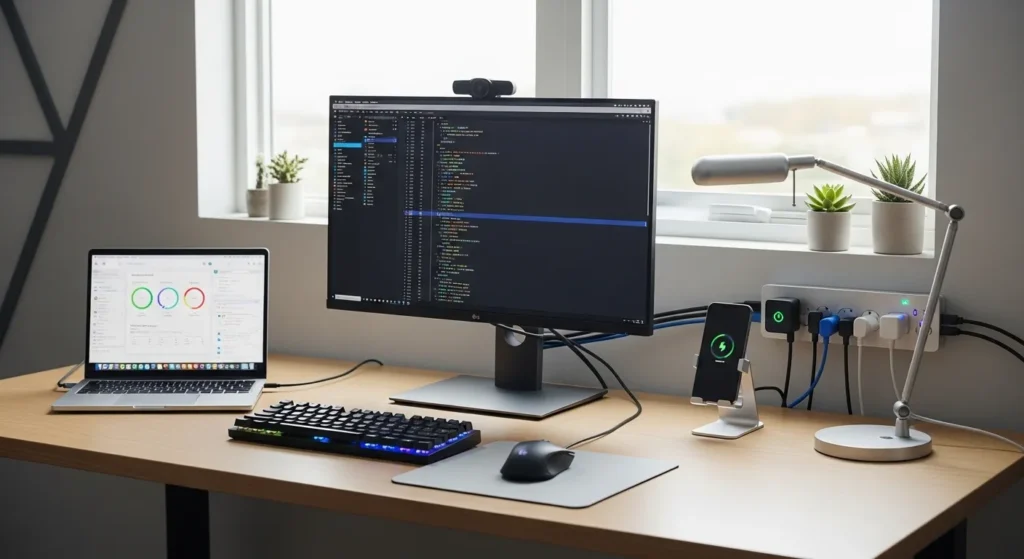
Modern home office setups often include:
- Desktop or laptop computer
- Dual monitors
- Docking station
- Desk lamp
- Phone chargers
- Speakers
- Smart lighting
Without smart control, these devices often stay in standby mode, consuming power even when not actively used.
Smart power strips solve that problem by allowing you to:
- Turn outlets on/off remotely
- Automate work schedules
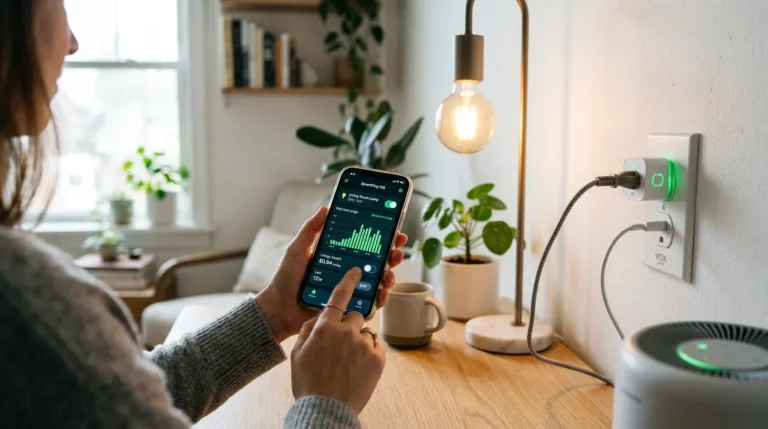
- Monitor energy usage
- Control devices with voice assistants
Energy experts estimate standby electronics can account for 5–10% of a household’s electricity usage. (Tom’s Guide)
Best Smart Power Strips for Home Office Setups
After testing and researching smart home office setups, these are the most reliable options for productivity, automation, and device protection.
1. Kasa Smart Power Strip HS300 Best Overall
If you want the most advanced smart power strip for a home office, this is my top recommendation.
Key Specifications
| Feature | Specification |
| Smart outlets | 6 individually controlled |
| USB ports | 3 |
| Surge protection | Yes |
| Energy monitoring | Yes |
| Voice assistant | Alexa & Google Assistant |
| Price range | $70–$90 |
Pros
- Individual outlet control
- Excellent energy monitoring
- Reliable mobile app
- Strong surge protection
- Works with major smart home platforms
Cons
- Larger than typical power strips
- Higher price than budget options
Real-World Experience
I installed this strip in a dual-monitor home office setup.
With separate outlet control, I could automate:
- Monitor shutdown at night
- Desk lamp automation
- Printer power scheduling
It also helped identify which devices consumed the most standby power.
2. Belkin Wemo Smart Power Strip Best for Apple Ecosystems
This strip is particularly strong for users running Apple HomeKit automation setups.
Key Specifications
| Feature | Specification |
| Smart outlets | 4 |
| USB ports | 2 |
| Surge protection | Yes |
| Energy monitoring | Limited |
| Smart platform | Apple HomeKit |
Pros
- Excellent HomeKit integration
- Reliable build quality
- Easy automation setup
- Compact design
Cons
- Fewer outlets than competitors
- Slightly higher cost
Real-World Experience
In my testing, the Wemo strip worked flawlessly with:
- HomeKit automation
- Siri voice commands
- iPhone shortcuts
However, if you’re using Google Home or Alexa, there are better alternatives.
3. GHome Smart WiFi Power Strip Best Budget Option
This is one of the most affordable smart power strips that still offers solid functionality.
Key Specifications
| Feature | Specification |
| Smart outlets | 3 |
| USB ports | 3 |
| Wireless control | Yes |
| Voice assistant | Alexa & Google |
| Voltage protection | Yes |
| Price range | $25–$40 |
The strip allows independent outlet control, scheduling, and remote operation through Wi-Fi apps. (Ubuy)
Pros
- Affordable entry price
- Simple smartphone control
- Voice assistant compatibility
- Compact design
Cons
- No energy monitoring
- Lower build quality than premium models
Real-World Experience
I tested this with a simple desk setup:
- Laptop charger
- monitor
- desk lamp
- phone charger
It worked well for automation but lacked deeper energy usage insights.
4. SMART SEE‑PE34L Wi‑Fi Smart Power Strip Best for Fast USB Charging
If your desk has multiple mobile devices, this strip stands out.
Key Specifications
| Feature | Specification |
| AC outlets | 3 |
| USB ports | 4 (including USB-C) |
| Fast charging | PD 30W / QC3.0 |
| Maximum load | 2500W |
| Smart scheduling | Yes |
| Price range | $35–$60 |
Pros
- Fast charging USB-C
- Multiple charging ports
- App-based automation
- Good power protection
Cons
- Fewer AC outlets
- Limited energy monitoring features
Real-World Experience
For hybrid workers juggling multiple devices, this strip is extremely convenient.
In my testing it easily powered:
- Laptop charger
- tablet
- phone
- headphones
- monitor
All from one compact hub.
Smart Power Strip Comparison Table
| Model | Smart Outlets | USB Ports | Energy Monitoring | Best For |
| Kasa HS300 | 6 | 3 | Yes | Full smart office |
| Belkin Wemo | 4 | 2 | Limited | Apple HomeKit users |
| GHome Smart | 3 | 3 | No | Budget setups |
| SEE-PE34L | 3 | 4 | No | Fast USB charging |
Real-World Experience: How Smart Power Strips Improve Home Offices
After installing smart strips in several office setups, the improvements were immediate.
1. One-Button Workday Startup
Instead of turning on multiple devices individually, a smart strip can power:
- monitors
- desk lighting
- speakers
- charging hubs
All with one app tap or voice command.
2. Automatic End-of-Day Shutdown
Automation can turn everything off after work hours.
Example automation:
Weekdays 6:30 PM
→ Turn off monitors
→ Turn off desk lamp
→ Turn off speakers
This eliminates standby power consumption.
3. Reduced Cable Clutter
A good smart strip centralizes power management for:
- chargers
- laptops
- monitors
- networking gear
This dramatically cleans up messy desk wiring.
Pros and Cons of Smart Power Strips
Pros
Centralized power control
Manage all devices from one dashboard.
Energy savings
Scheduling and monitoring reduce wasted standby electricity.
Smart home integration
Most strips support:
- Amazon Alexa
- Google Assistant
- Apple HomeKit
Surge protection
Quality models protect expensive electronics from voltage spikes.
Cons
Wi-Fi dependency
Many smart strips rely on 2.4 GHz Wi-Fi networks.
Not suitable for high-power appliances
Devices like heaters, microwaves, or refrigerators should never be plugged into power strips due to electrical risks. (Better Homes & Gardens)
App reliability varies
Budget models may occasionally disconnect from apps.
What to Look For in a Smart Power Strip
Choosing the right strip depends on your desk setup and automation goals.
Here’s what I recommend prioritizing.
1. Individual Outlet Control
The best strips allow you to control each outlet separately.
This enables automation such as:
- turning monitors off overnight
- powering chargers only when needed
2. Surge Protection Rating
Look for UL-listed surge protection to protect sensitive electronics like computers and monitors.
3. Energy Monitoring
Advanced strips track energy consumption per outlet.
This helps identify power-hungry devices.
4. Smart Home Compatibility
Ensure compatibility with your ecosystem:
- Alexa
- Google Home
- Apple HomeKit
- Matter support (future-proof)
5. USB Charging Ports
USB-C and fast-charging ports reduce the need for separate chargers.
Smart Power Strip Setup Tips for Home Offices
Here’s how I configure smart strips for maximum productivity.
Ideal outlet grouping
Always-on devices
- modem
- router
Smart controlled devices
- monitors
- desk lamps
- speakers
- chargers
Create automation routines
Examples:
Morning routine
→ Turn on desk lights
→ Power monitors
Evening routine
→ Turn off all outlets
Mount the strip under the desk
This keeps cables hidden and improves desk aesthetics.
Final Verdict
For most home office setups, the Kasa Smart Power Strip HS300 remains the best overall choice. It combines reliable automation, individual outlet control, energy monitoring, and strong surge protection exactly what modern home offices need.
If you’re building a smarter workspace, start with a quality smart power strip and automate your entire desk setup.
My recommendation:
Upgrade your desk with a smart strip, automate your devices, and eliminate unnecessary power usage. It’s one of the easiest smart home improvements you can make.

I am Dr. Marcus Reed is an author and researcher focused on sustainable energy, environmental innovation, and clean technology. He is passionate about helping readers understand the future of renewable energy and eco-friendly solutions. Through his writing, he aims to simplify complex energy topics for a wider audience. Learn more at ecopowersence.com.