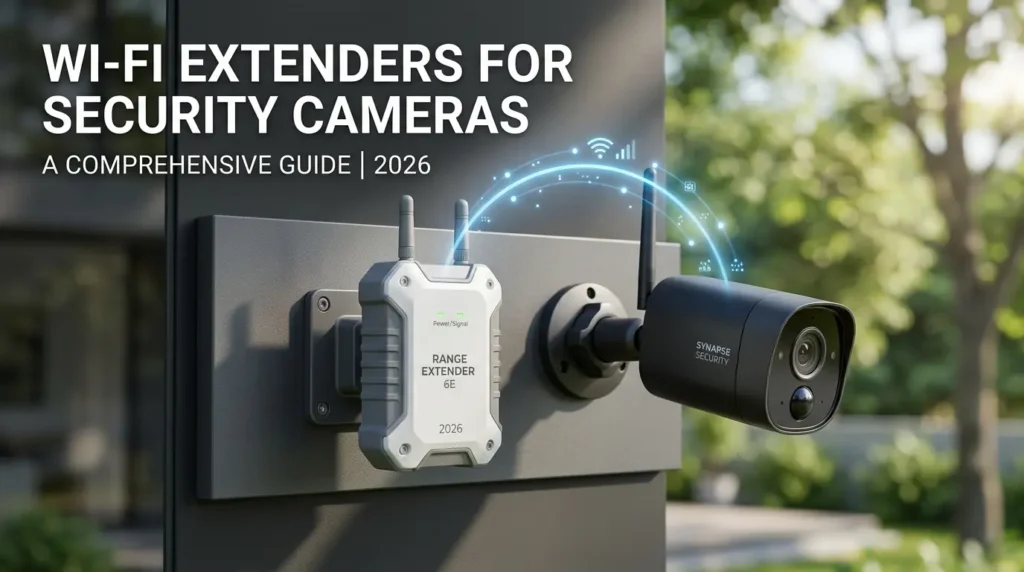
The right WiFi extender for security cameras eliminates the most frustrating problem in home surveillance a camera that freezes, disconnects, or drops frames at the exact moment you need it most. Security cameras cannot move closer to the router when the signal weakens. Consequently, a dedicated WiFi extender for security cameras is the only reliable fix for dead zones at the garage, backyard, or front porch. This guide covers the best options in 2026 and exactly how to choose the right one.
According toIEEE 802.11 standards documentation, continuous HD video streaming requires a minimum sustained throughput of 4–6 Mbps per camera. Furthermore, security cameras demand consistent low-latency connections not the burst-speed performance that most general WiFi extenders optimize for.
Why You Need a WiFi Extender for Security Cameras
Security cameras differ from phones and laptops in one critical way. They cannot move closer to the router when the signal weakens. Security cameras aren’t like your phone or laptop they can’t just wander closer to the router for a better connection. They’re stuck in that spot.
Consequently, a weak signal at a camera’s fixed location means dropped frames, delayed alerts, and motion recording gaps exactly when you need coverage most. Additionally, outdoor cameras face interference from walls, brick, and concrete that indoor devices never encounter.
Three scenarios specifically require a WiFi extender for security cameras:
- Camera mounted more than 50 feet from the router
- Signal passing through 2+ concrete or brick walls
- Multiple cameras competing for bandwidth on a congested 2.4GHz network
What to Look for in a WiFi Extender for Security Cameras
Band Selection 2.4GHz vs 5GHz
Most security cameras connect on 2.4GHz. This band travels farther and penetrates walls better than 5GHz. However, 2.4GHz is also more congested neighboring networks compete on the same limited channels.
A dual-band WiFi extender for security cameras runs cameras on a dedicated 2.4GHz band while routing other household traffic to 5GHz. Consequently, dual-band models consistently outperform single-band alternatives for camera-specific use.
WiFi Standard WiFi 5 vs WiFi 6
WiFi 6 (802.11ax) introduces OFDMA technology. According to theWiFi Alliance, this allows a WiFi 6 extender to serve multiple cameras simultaneously without the throughput degradation that WiFi 5 suffers under multi-device load. For homes with 3+ cameras, WiFi 6 extenders are worth the premium. For 1–2 cameras, WiFi 5 performs adequately at lower cost.
Coverage Range
Extender range claims are measured in open air. In practice, each concrete wall reduces effective range by 30–50%. Therefore, for a camera mounted 60 feet from the router through two walls, select a WiFi extender for security cameras rated for at least 2,500 sq ft coverage.
Best WiFi Extender for Security Cameras 2026 Picks
TP-Link RE615X Best Overall WiFi Extender for Security Cameras
The TP-Link RE615X is the top-rated WiFi extender for security cameras in homes with multiple units. It adds WiFi range coverage up to 2,500 sq ft, connects up to 30 devices, and provides AX6000 WiFi speed using dual-band WiFi 6 technology for heavy-duty 4K HD streaming.
The seamless roaming feature uses the same SSID as the main router cameras never drop connection when switching between coverage zones. Furthermore, four Gigabit Ethernet ports allow wired camera connections where wireless signal penetration remains a challenge.
Best for: Homes with 3–8 cameras, large properties, mixed indoor/outdoor setups.
Key specs:
- WiFi 6 dual-band AX6000
- Coverage up to 2,500 sq ft
- 4× Gigabit Ethernet ports
- Seamless roaming single SSID
- WPA3 security ~$80–$100
Netgear Nighthawk X6S Best for High-Camera-Count Installations
The Netgear Nighthawk X6S offers impressive speed up to 4000 Mbps with excellent range coverage thanks to tri-band technology a perfect match for homes with multiple smart devices including security cameras.
Tri-band operation dedicates one 5GHz band entirely to backhaul communication with the main router. Consequently, cameras experience no throughput penalty from router-to-extender traffic a common bottleneck in standard dual-band WiFi extenders for security cameras.
Best for: Homes with 6+ cameras, Ring or Arlo multi-camera systems.
Key specs:
- Tri-band AC4000 dedicated backhaul band
- Range up to 2,500 sq ft
- MU-MIMO 4×4 antennas ~$120–$150
AERVY WiFi 6 Extender Best for Wall and Floor Penetration
AERVY’s 2026 extender uses a new-generation chipset to provide a 4× faster signal extension with minimal setup fuss. It’s built to penetrate floors and walls effectively the core challenge for cameras on external walls. FCC and IEEE standards compliance and WPA2 security make it a safe choice for security camera networks.
The WPS one-minute setup makes this the fastest-to-deploy WiFi extender for security cameras in this comparison. Additionally, consistent throughput at signal boundaries addresses the exact failure point where older chipsets drop bandwidth dramatically.
Best for: Multi-story homes, basement cameras, exterior wall-mounted cameras.
Key specs:
- WiFi 6 new-generation chipset
- 4× faster signal vs previous generation
- WPS one-minute setup ~$35–$55
TP-Link RE330 Best Budget WiFi Extender for Security Cameras
For homeowners with 1–2 cameras on a modest-sized property, the RE330 delivers reliable coverage at the lowest price point. It covers up to 1,200 sq ft and connects via the same SSID as the main network for seamless camera roaming.
Dual-band operation keeps camera traffic on a dedicated band, avoiding the congestion that kills single-band performance in dense wireless environments. Furthermore, the compact plug-in design requires no additional hardware.
Best for: Apartments, small homes, single-camera front-door or garage installations.
Key specs:
- WiFi 5 dual-band AC1200
- Coverage up to 1,200 sq ft
- Seamless roaming ~$20–$30
Eero 6 Mesh Node Best for Whole-Home Camera Coverage
When the problem spans the entire property rather than a single dead zone, a mesh node outperforms a traditional WiFi extender for security cameras. According to theFCC’s Consumer Guide on WiFi, mesh systems maintain full network speed via dedicated backhaul channels unlike range extenders that halve bandwidth on each hop.
Consequently, cameras connected through a mesh node receive the same signal quality as those directly connected to the router.
Best for: Large homes, multi-floor properties, Ring Alarm households, Eero ecosystem users.
Key specs:
- WiFi 6 dual-band mesh backhaul
- No half-speed penalty
- Eero app management ~$90–$120
WiFi Extender vs Mesh System for Security Cameras
A traditional WiFi extender for security cameras works well for a single dead zone. However, traditional extenders cut bandwidth by approximately 50% because they receive and retransmit on the same radio simultaneously.
A mesh system uses dedicated backhaul maintaining full speed throughout the property. Additionally, mesh systems provide seamless roaming with no connection drops between zones.
Choose a WiFi extender for security cameras when:
- You have one specific dead zone to cover
- Budget is the primary constraint
- You have 1–3 cameras needing extended coverage
Choose a mesh node when:
- Multiple dead zones exist across the property
- You have 4+ cameras spread across different areas
- You already use a mesh router system
Where to Place Your WiFi Extender for Security Cameras
Placement determines whether a WiFi extender for security cameras actually solves the problem or simply moves it.
Halfway rule Position the extender halfway between the router and the camera. Too close to the router and the camera still sits in a weak signal zone. Too close to the camera and the extender itself receives a weak signal to repeat.
Line-of-sight advantage Where possible, position the extender with a clear line of sight toward the camera. Each wall between extender and camera reduces effective signal by 30–50%. Consequently, an extender near an exterior door serves outdoor cameras far more effectively than one placed centrally indoors.
Elevation matters WiFi signals propagate outward and slightly downward from antenna placement. Mounting the extender at ceiling height improves outdoor camera coverage compared to floor-level placement.
Security Considerations for Camera Networks
A WiFi extender for security cameras introduces a second network access point which creates a second potential vulnerability. According to theCybersecurity and Infrastructure Security Agency (CISA), network extender security requires the same attention as router security.
Apply these three practices immediately after setup:
Use WPA3 encryption where available. WPA3 provides significantly stronger protection than WPA2 against brute-force attacks targeting camera networks.
Change default admin credentials immediately. Factory defaults are publicly documented for most extender models. Change both username and password before connecting any cameras.
Enable device isolation if available. This prevents cameras from communicating with other household devices limiting damage if a camera firmware vulnerability is ever exploited.
Frequently Asked Questions
Do WiFi extenders work with all security camera brands? Yes a WiFi extender for security cameras works with any camera connecting via standard 802.11 WiFi. Ring, Arlo, Nest, Reolink, Wyze, and Eufy cameras all connect to extended networks without brand-specific requirements.
Will a WiFi extender slow down my security camera feed? Traditional extenders reduce throughput by approximately 50%. However, security cameras require only 4–8 Mbps sustained throughput so this halving rarely causes visible quality degradation on standard home internet connections. WiFi 6 extenders using OFDMA reduce this penalty significantly for multi-camera setups.
How far can a WiFi extender reach for an outdoor security camera? In open air, quality WiFi extenders for security cameras reach 150–300 feet. Through exterior walls, effective range drops to 50–100 feet per hop. Consequently, for cameras more than 100 feet from the router through multiple walls, a mesh node delivers better results.
Final Verdict
The TP-Link RE615X WiFi 6 extender is the best WiFi extender for security cameras for most homeowners WiFi 6 throughput, seamless roaming, four Ethernet ports, and 2,500 sq ft coverage address every common camera connectivity challenge at $80–$100.
High-camera-count installations benefit from the Netgear Nighthawk X6S tri-band system its dedicated backhaul band eliminates the throughput bottleneck that limits standard dual-band WiFi extenders for security cameras under concurrent multi-camera load.
Budget buyers with a single camera dead zone should start with the TP-Link RE330 reliable dual-band performance at $20–$30 solves the most common single-camera connectivity problem without overinvesting.
Last updated: June 2026 |ecopowersence.com Bridging green tech engineering and the everyday consumer.

I Am Sarah Miller is a passionate writer focused on sustainability, eco-friendly living, and modern environmental solutions. Through her work, she aims to inspire readers to make smarter, greener choices for a better future. She regularly shares insights and practical tips on her website, ecopowersence.com.